My life is full of equally true statements:
- I have VCF Operations monitoring everything.
- I have VCF Operations sending me Slack notifications.
- Things go wrong in my lab all the time.
- I ignore the alarms and notifications.
- I wonder why things suddenly break just before a demo.
This post isn’t here to help you learn from my lessons to pay attention to your alarms, but it’s here on the assumption that you are like me, and you need to know how to get out of the pickle your life choices have gotten you in! It all started the day before I needed to do an automation demo: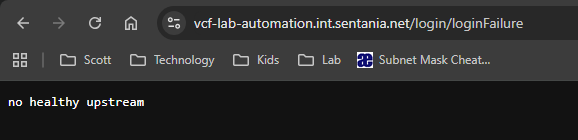
I resorted to rebooting, and then rebooting again, to no avail. I ended up using a different approach for my demo and a week or two later, I decided to try and fix it.
What was actually broken#
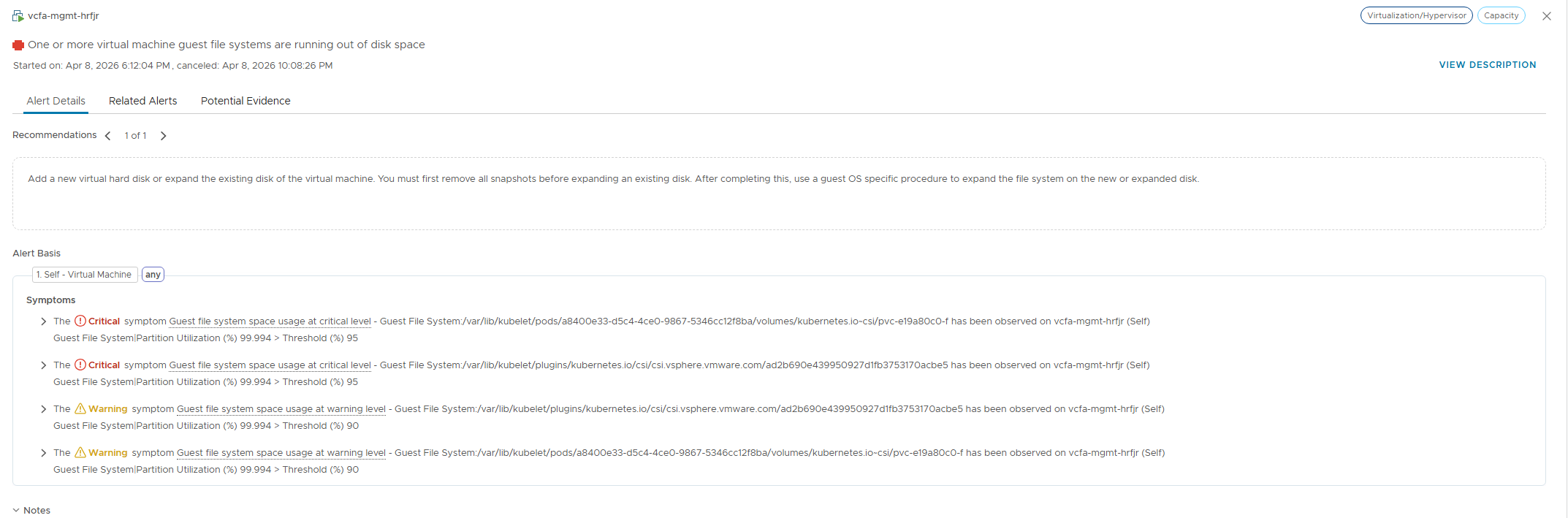
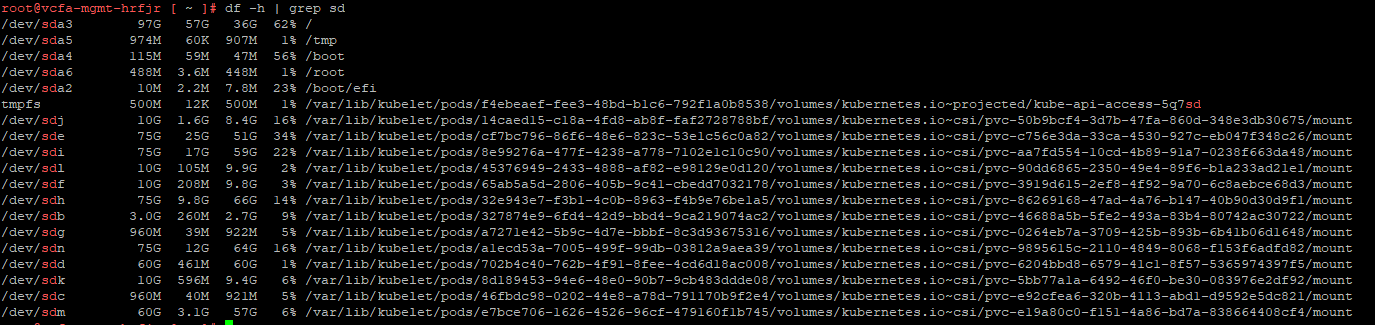
It turns out that there was a space alarm that I ignored. I SSH’d into the VCF host and sure enough there was a full volume.
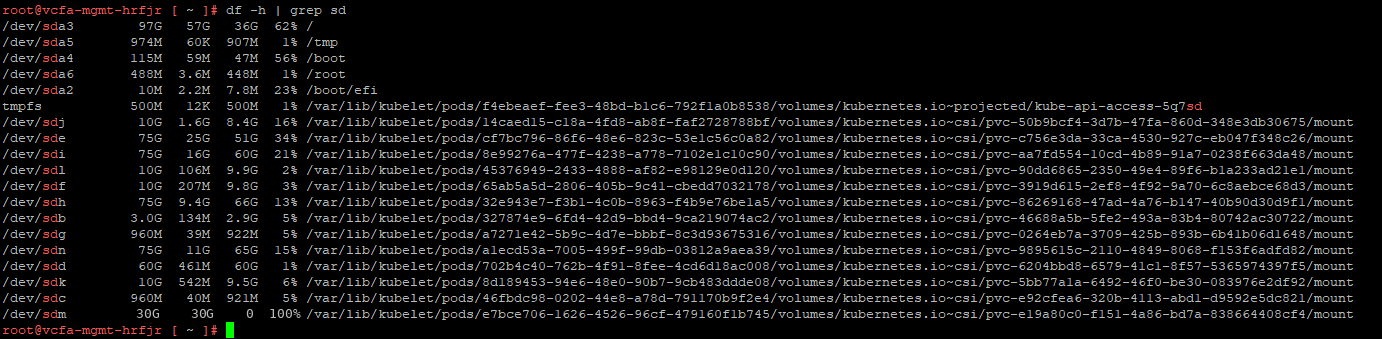
Not knowing what volume this was for, I did what any enterprising admin would do – I poked my nose where it doesn’t belong.

Upon discovering that this was the mount point for the PostgreSQL instance that serves VCFA, it was clear why things were unhealthy.
Doing some poking around, I didn’t see any obvious temporary files or other easy space reclamation targets. Rather than poking blindly, I managed to consult the oracle (ChatGPT), who recommended that I try to expand the PV. Its first recommendation was to check and see if the PV would autogrow if we expanded the disk: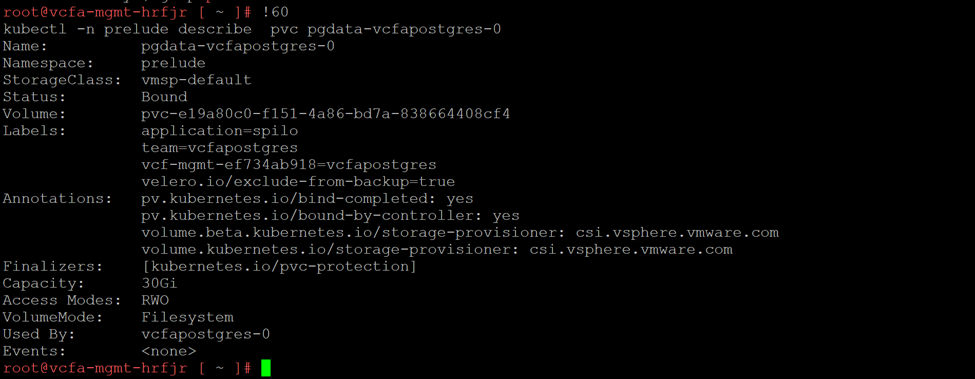
This was good news! It meant that as soon as I expanded the VMDK for the volume, it would expand and the database could recover.
Fleet Manager to the rescue#
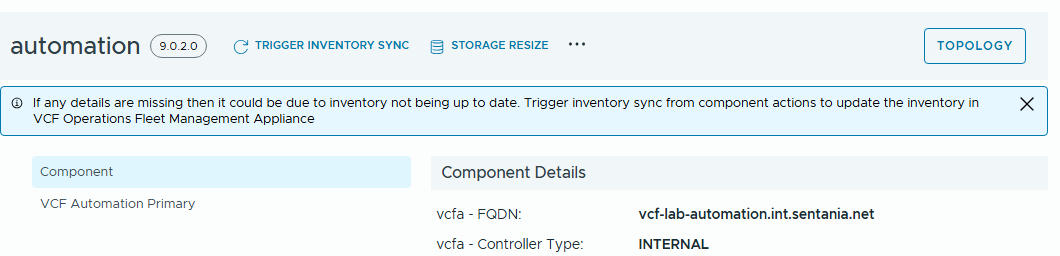
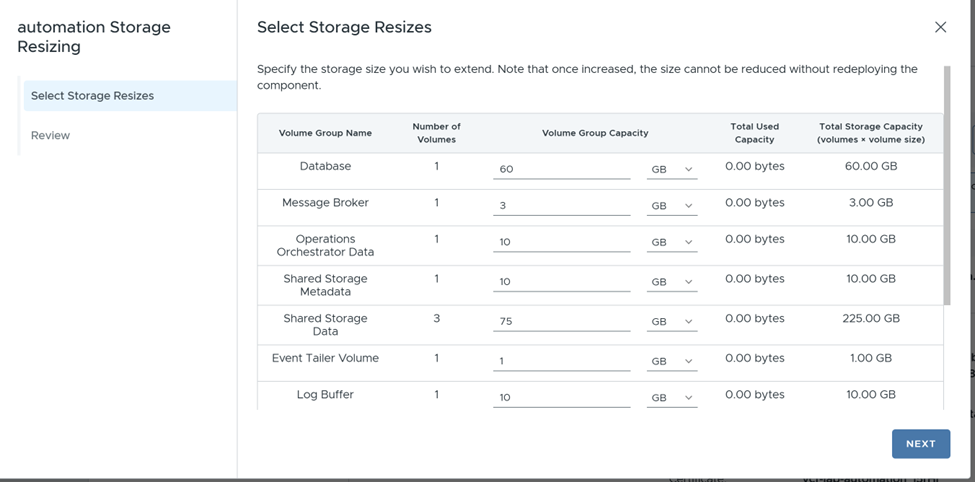
It shows you the details of all the volume groups and allows you to update their capacity, and once you tell it to go – under the hood it drives the PVC expansion through the supported channel, including whatever reconciliation it needs to do in the operator stack on the way.
Nature heals#
At this point, I thought everything was great. Until I discovered a second error that had been both hidden and triggered by the database failure. I’ll save that for my next post, which is equal parts interesting and terrifying. Stay tuned.